
Update your firmware safely and quickly.
Follow these steps to update your Bullet R2 using the web updater.
bullet_io.bin file.
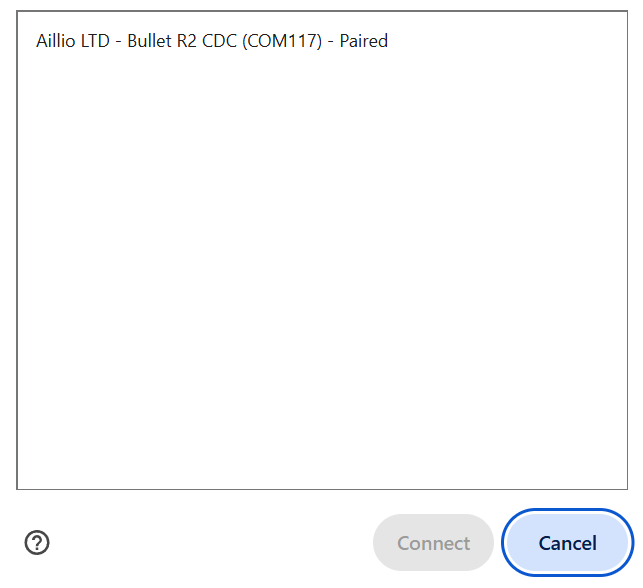
Select USB, then connect
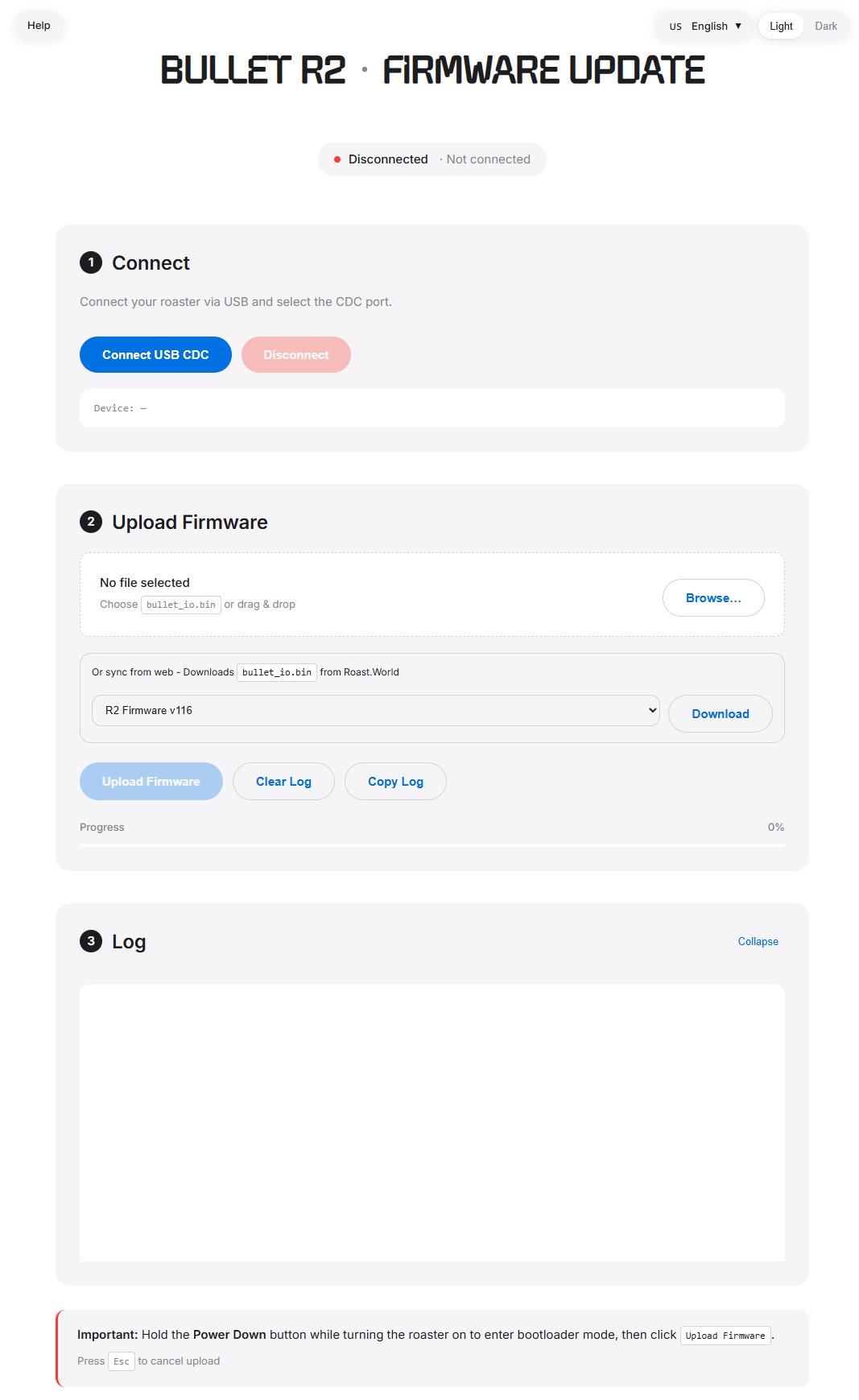
Web updater interface
Tip: Press
Esc to cancel the upload at any time.
If you prefer the Windows desktop updater, follow these steps.
Open Device Manager (Win + X). Under Universal Serial Bus devices, find Aillio LTD - Bullet R2 CDC.
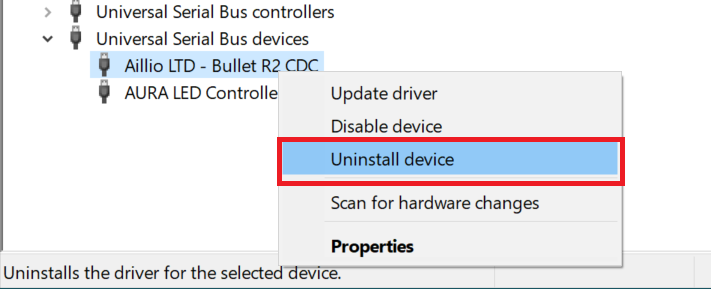
Right-click, then select Uninstall device.
In the confirmation dialog, enable Delete the driver software for this device, then click Uninstall.
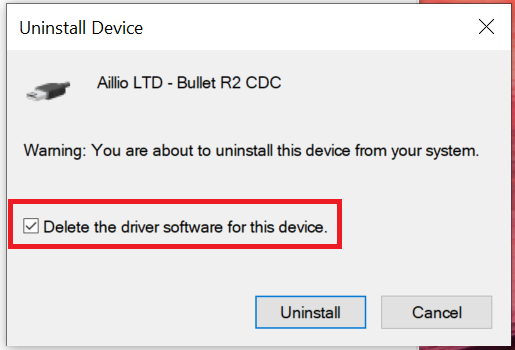
Select the checkbox to remove the driver software.
Open
bullet_r2_firmware_update.exe and follow
the on-screen steps.
Open
Bullet R2 Firmware Update-Setup-1.0.0.exe and follow
the on-screen steps.
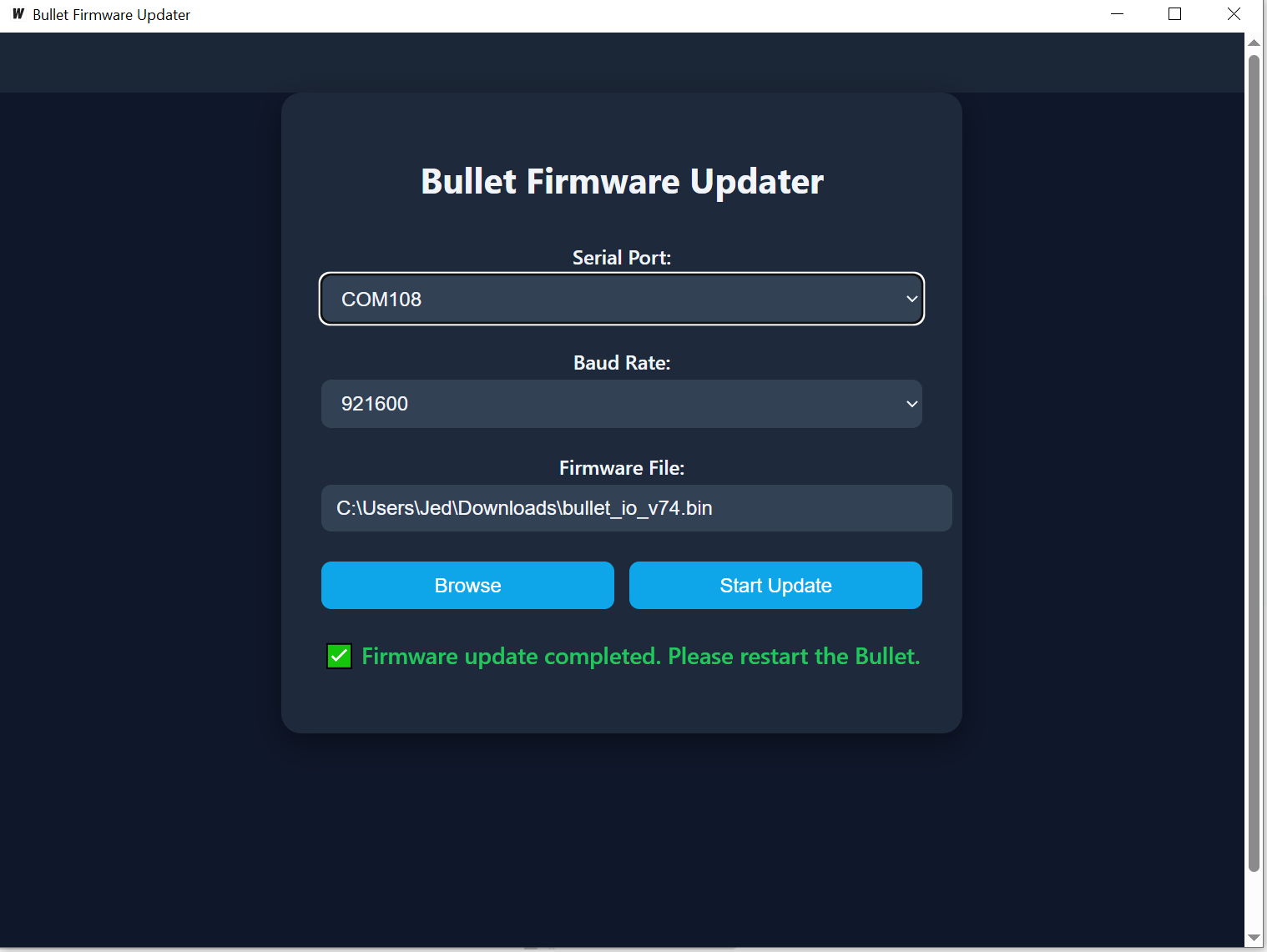
Windows desktop updater
Recommendation: The web updater is the preferred method. It works across operating systems and requires no driver installation.
Product information and official updates
Official support resources and contact options
Ask questions and share experiences with other users
Download the latest Bullet R2 firmware
Complete guide to using the Bullet R2
Cloud-based roasting platform with analytics and profile management
Desktop roasting software for the Bullet
Use Chrome or Edge on desktop. Firefox and Safari do not support the Web Serial API.
Turn the Bullet off, then hold Power Down while turning it back on. The LED display will blink when bootloader mode is active.
Try the following:
Yes. The web updater works on any operating system that supports Chrome or Edge with Web Serial.
The updater uses a fixed baud rate of
921600 bps.
Most updates complete within 1–3 minutes, depending on file size and USB connection quality.
Check:
Try:
Esc to cancel
the uploadMake sure you selected Aillio LTD - Bullet R2 CDC and that the device shows:
0x04830xA4CDUse Chrome or Edge on desktop, and open the updater over HTTPS (or localhost). Update your browser if needed.
If you still need help, contact support and include your roaster details and the updater log.
When contacting support, include: